
DevOps · Networking · Docker
The Beginner's Guide to CIDR
Learn how CIDR notation actually works, with simple examples and a practical Docker network layout you can use today.

Chukwuma Zikora
Senior Software Engineer & DevOps Practitioner
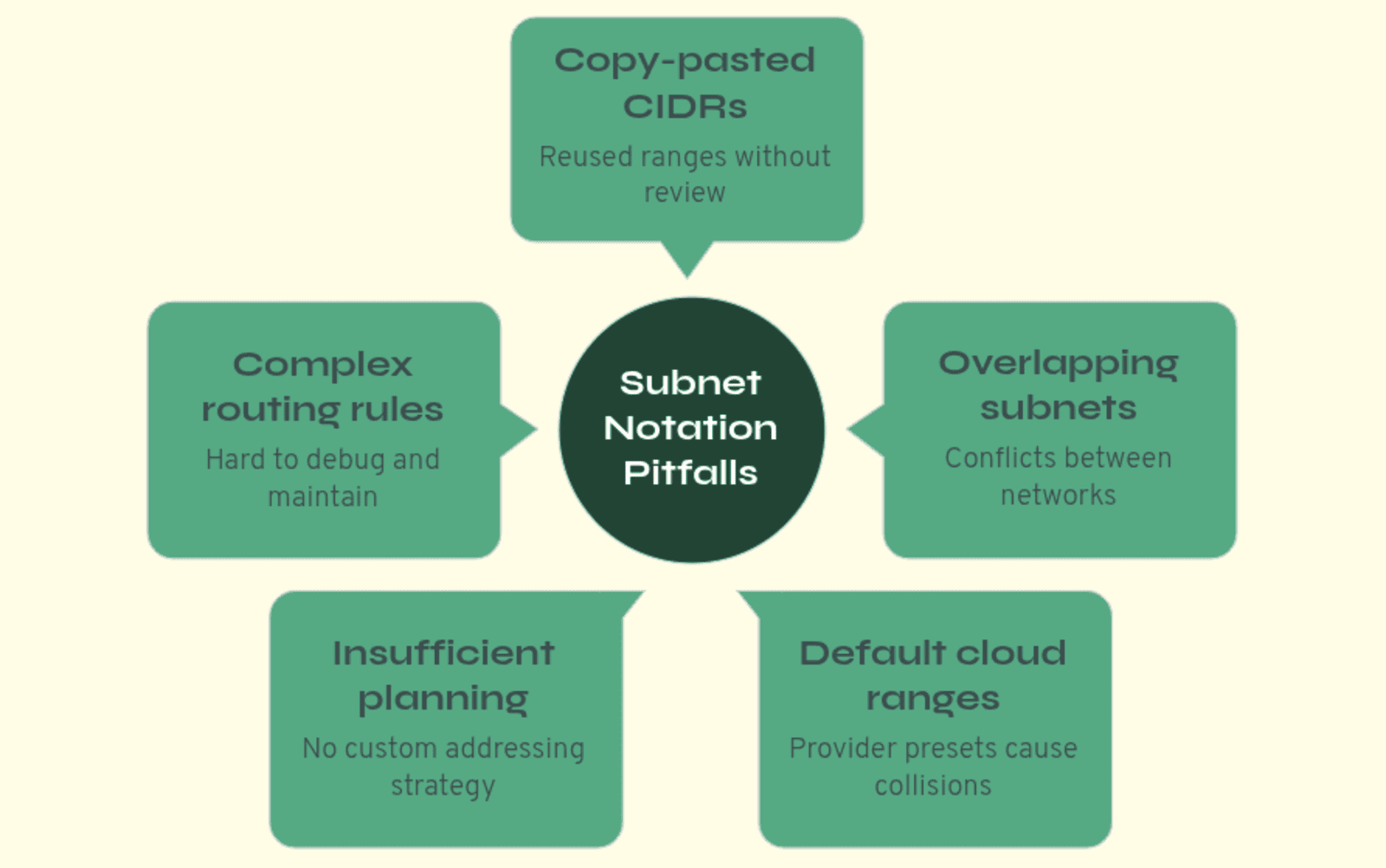
Docker and cloud configs are full of subnet notation like 10.0.0.0/24 or 172.28.0.0/16. It's easy to copy-paste and move on until you need separate networks that don't overlap, or something breaks and you're not sure why. The slash and the numbers stop feeling like magic once you know what they mean.
This guide covers the basics: what an IP address actually is, what the slash number does, and how to choose subnets so they don't clash. No prior networking assumed. We start from the dots and the slash and build from there.
Part 1: What Those Dots Actually Mean
Before we get to /24 or /20, we need to know what an IP address is.
IP addresses are just numbers (with dots)
An IPv4 address looks like 192.168.1.5. Four number groups separated by dots. Each of those numbers is called an octet (fancy word for "8 bits"). A bit is a single binary value, zero or one. So you've got:
- 4 octets × 8 bits = 32 bits for the whole address.
- Think of it like 00000000.00000000.00000000.00000000
Each octet can only go from 0 to 255. Why? Because 8 bits(00000000) can only represent 256 values (0 through 255). So when you see 192.168.1.5, you're really looking at one 32-bit number that we write in a friendlier way. The computer cares about the bits; we use the dots so our brains don't melt.
Take 10.0.0.1. First octet 10, second 0, third 0, fourth 1. That's it. For this guide, all you need to remember is: four number groups, each 0–255, 32 bits in total.
Why 255 is the max
Ever type an IP and get an error when you put something like 192.168.1.300? That's because each of the four number groups can only go up to 255. Convert 11111111 from base 2 to decimal and you would get 255. That's eight 1s - all bits turned on. It's the biggest number you can make with 8 bits. So each octet ranges from 00000000 (0) to 11111111 (255). There are only 256 options per octet (2⁸). So 192.168.1.0 and 192.168.1.255 are fine. 192.168.1.256 isn't, it doesn't fit in 8 bits.
That 32-bit total is what makes the slash notation work. The slash tells you how many of those bits are "locked" for the network and how many are "free" for hosts.
Part 2: Decoding the Slash Notation
This is where it starts to make sense.
What /24 actually means
In 10.0.0.0/24, the /24 means: the first 24 bits are the network. They're fixed. Locked. Cannot be changed. The rest are for individual hosts.
So 32 − 24 = 8 bits are left for hosts. And 2⁸ = 256 possible addresses.
In plain English: 10.0.0.0/24 means "the network that has every address from 10.0.0.0 to 10.0.0.255". The first three octets (10.0.0) stay the same(locked); the last octet is what changes from 0 to 255. Remember, you only have 8 bits free in this subnet. So you get 256 addresses.
Same idea for 192.168.1.0/24. That's 192.168.1.0 through 192.168.1.255. Still 256 addresses. 24 bits for the network, 8 for the host.
The formula (it's simple)
For any /X (like /24, /20, /16, /23, /30):
- X = how many bits are "locked" for the network.
- 32 − X = how many bits are "free" for hosts.
- Number of addresses = 2^(32−X).
So:
- /24 → 8 bits free → 2⁸ = 256 addresses.
- /16 → 16 bits free → 2¹⁶ = 65,536 addresses.
- /20 → 12 bits free → 2¹² = 4,096 addresses.
Why /16 is so much bigger than /24
With /16, only the first 16 bits (the first two octets) are fixed. The last 16 bits (the last two octets) can change. So you get 65,536 addresses.
10.0.0.0/16 goes from 10.0.0.0 to 10.0.255.255. The third and fourth octets both change.
10.0.0.0/24 only goes from 10.0.0.0 to 10.0.0.255. Only the last octet changes. So /16 is 256 times bigger than /24.
Here's a handy table to skim when you need it:
| CIDR | Locked Bits | Free Bits | Total Addresses |
|---|---|---|---|
| /32 | 32 | 0 | 1 (single host) |
| /24 | 24 | 8 | 256 |
| /23 | 23 | 9 | 512 |
| /20 | 20 | 12 | 4,096 |
| /16 | 16 | 16 | 65,536 |
| /8 | 8 | 24 | 16,777,216 |
Part 3: The Tricky Part: Partial Octets
With /24, the split is neat: first three octets fixed, last one free. With /16, first two fixed, last two free. Easy.
/20 is where it gets messy. The 20th bit sits inside the third octet. That's what throws people.
When the slash cuts through the middle of an octet
/20 means: first 20 bits = network, last 12 bits = host.
- First octet: 8 bits (all network).
- Second octet: 8 bits (all network).
- That's 16 bits. We need 4 more "network" bits, and they come from the third octet.
So in the third octet, 4 bits are locked and 4 bits are free. The fourth octet is totally free (all 8 bits).
Making sense of /20
Think of the 3rd octet's 8 bits like this: [0000][0000]. The first 4 bits [0000] are locked for the network and cannot change. The last 4 bits [0000] are free and can change from 0000 up to 1111.
Meaning that those 4 free bits in the third octet can only represent 0 through 15 (2⁴ = 16 values). So the third octet only goes from 0 to 15 in this subnet. The fourth octet still goes 0–255.
Range: 10.0.0.0 → 10.0.15.255.
Total: 16 × 256 = 4,096 addresses (same as 2¹²).
Another one: 10.0.16.0/20 → third octet 16–31 → 10.0.16.0 to 10.0.31.255. Again 4,096 addresses. 10.0.32.0/20 → 10.0.32.0 to 10.0.47.255.
So for /20, the third octet always jumps in steps of 16.
Example walkthrough: 10.0.16.0/20
Binary breakdown of the third octet (16 in decimal): 16 = 00010000
First 4 bits [0001] = locked (must stay 0001) Last 4 bits [0000] = free (can be 0000 to 1111)
When the last 4 bits are all 1s (1111 = 15): [0001][1111] = 00011111 = 31 in decimal
So third octet goes from 16 to 31. Range: 10.0.16.0 → 10.0.31.255
/20 subnet: 10.0.16.0/20
Bit layout (32 bits total):

┌─────────┬─────────┬─────────┬─────────┐
│  Octet1 │  Octet2 │  Octet3 │  Octet4 │
│ 00001010│ 00000000│ 00010000│ 00000000│
│    10   │    0    │   16    │    0    │
└─────────┴─────────┴─────────┴─────────┘

│◄──Network (20 bits)───-►│◄─---Host--─►│
│                         │     (12)    │

- **Network portion:** First 20 bits locked
- **Host portion:** Last 12 bits can vary
Part 4: The Alignment Rule Nobody Tells You
Here's the bit that causes real pain: you can't start a subnet on just any address. The start has to "line up" with the size of the block.
Why you can't start wherever you want
Say you do this:
- 10.0.1.0/24
- 10.0.2.0/24
- 10.0.3.0/20
10.0.3.0/20 doesn't mean "start at 10.0.3.0 and grab 4,096 addresses." It means "the network where the first 20 bits match 10.0.3.0." When you work that out, that network actually starts earlier and overlaps with 10.0.1.0/24 and 10.0.2.0/24. So you get overlapping subnets and weird, annoying bugs.
The fix: for a /X block, the subnet has to start at an address where the "host" bits (the last 32−X bits) are all zero. For /20, that means the third octet has to be a multiple of 16: 0, 16, 32, 48, 64, 80, 96, 112, 128, 144, 160, 176, 192, 208, 224, 240.
So this means that:
- 10.0.0.0/20 ✓.
- 10.0.16.0/20 ✓.
- 10.0.1.0/20, 10.0.8.0/20, 10.0.24.0/20 ✗. Those third octets aren't multiples of 16 and will cause overlap.
Quick reference: where you're allowed to start
- /24: Third octet can be anything 0–255. 10.0.1.0/24, 10.0.2.0/24, 10.0.99.0/24 ✓
- /23: Third octet has to be even (0, 2, 4, 6, …). 10.0.0.0/23, 10.0.2.0/23 ✓. 10.0.1.0/23, 10.0.3.0/23 ✗
- /20: Third octet has to be a multiple of 16: 0, 16, 32, … 10.0.0.0/20, 10.0.16.0/20 ✓. 10.0.1.0/20, 10.0.8.0/20 ✗
- /16: Third octet has to be 0. 10.0.0.0/16, 10.1.0.0/16 ✓. 10.0.5.0/16 ✗
When you pick a subnet, always start at one of these valid points. Saves a lot of headache.
Part 5: A Real Docker Example
Let's use this to set up real Docker networks.
The setup
You've got three Docker stacks. You want each stack on its own internal network (so they're isolated), one shared network for stuff that talks across stacks, and room for about 500 containers per stack.
Picking the subnets
We'll keep everything aligned and non-overlapping:
- Shared network: 10.0.1.0/24 → 256 addresses (plenty for shared services).
- Stack A: 10.0.2.0/23 → 512 addresses (more than 500).
- Stack B: 10.0.4.0/23 → 512 addresses.
- Stack C: 10.0.6.0/23 → 512 addresses.
For /23, the third octet has to be even, so 2, 4, 6 are all valid. Each /23 is two "/24-sized" chunks (e.g. 10.0.2.0–10.0.3.255), and they don't step on each other.
Double-checking no overlap
- 10.0.1.0/24 → 10.0.1.0 – 10.0.1.255 ✓
- 10.0.2.0/23 → 10.0.2.0 – 10.0.3.255 ✓
- 10.0.4.0/23 → 10.0.4.0 – 10.0.5.255 ✓
- 10.0.6.0/23 → 10.0.6.0 – 10.0.7.255 ✓
No overlap. You're good.
Why this layout?
- Only services that need cross-stack communication join shared-services
- Internal services (databases, caches, workers) stay isolated on their stack's internal network
- This gives you security through isolation while allowing necessary communication
The commands
docker network create --driver overlay --subnet=10.0.1.0/24 shared-services
docker network create --driver overlay --subnet=10.0.2.0/23 stack-a-internal
docker network create --driver overlay --subnet=10.0.4.0/23 stack-b-internal
docker network create --driver overlay --subnet=10.0.6.0/23 stack-c-internal
Now you're not just copy-pasting numbers. You know why these numbers and why they don't clash.
Part 6: Cheat Sheet
How many addresses?
- Formula: 2^(32 − X) = total addresses for /X.
- Usable for hosts: usually total − 2 (one for the network address, one for broadcast).
So: /24 → 256 total, 254 usable. /23 → 512 total, 510 usable. /20 → 4,096 total, 4,094 usable.
Easy mistakes to avoid
- Starting /20 at something like 10.0.1.0 (third octet isn't a multiple of 16).
- Thinking /24 gives 255 addresses. It's 256 total, 254 usable.
- Overlapping ranges. For example 10.0.0.0/23 (10.0.0.0–10.0.1.255) and 10.0.1.0/24 (10.0.1.0–10.0.1.255) overlap.
Quick overlap check
- Write the last address of the first subnet.
- Write the first address of the second.
- If the first subnet's last address is greater than or equal to the second's first address, they overlap.
Wrap-up
You don't have to memorise all of this. The big takeaways:
- An IP address is 32 bits: four octets, each 0–255.
- /X means the first X bits are the network; the rest are for hosts. That gives you 2^(32 − X) addresses.
- When the slash doesn't land on a number boundary (like /20), that "partial" number only takes certain values. For /20, multiples of 16 in the third number.
- Subnets have to start at an aligned address. Use the valid starting points so you don't create overlaps.
Next time you see --subnet 10.0.0.0/24, you'll know what it means, how big it is, and how to change it or add more subnets without breaking things.